1. 今天还在刷 V2EX 的,是不是都是周六还要工作的可怜虫
我承认,我是。
15 篇热帖
我承认,我是。
某宝有代为部署的,100 手工费,域名服务器自己买!
关于服务器: 境内第一年 128 ,续费 510/年;国外 /年 46 美金(固定费用以后不涨价),也有更好的 93 美金一年的。
有建站的朋友欢迎聊一聊。
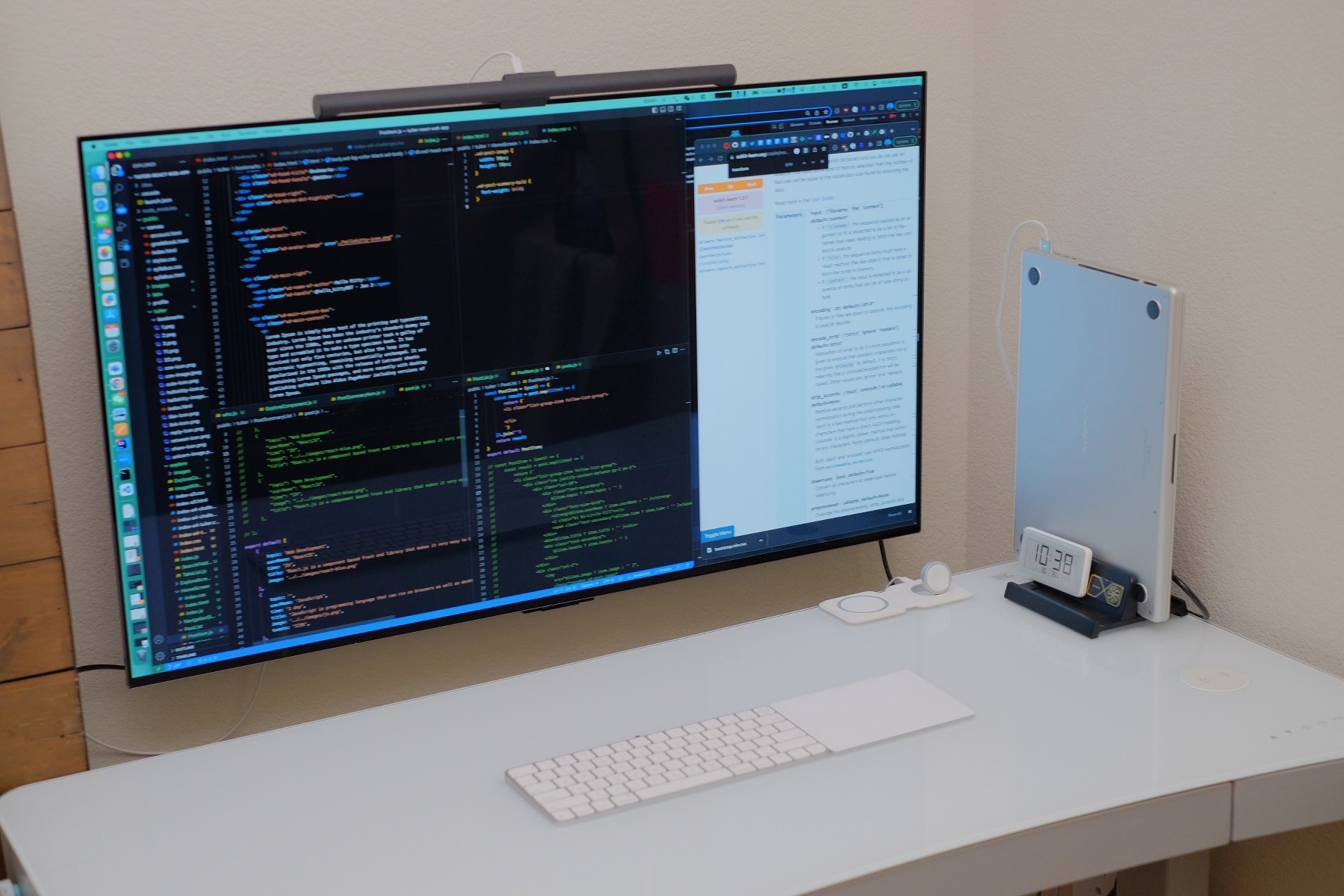
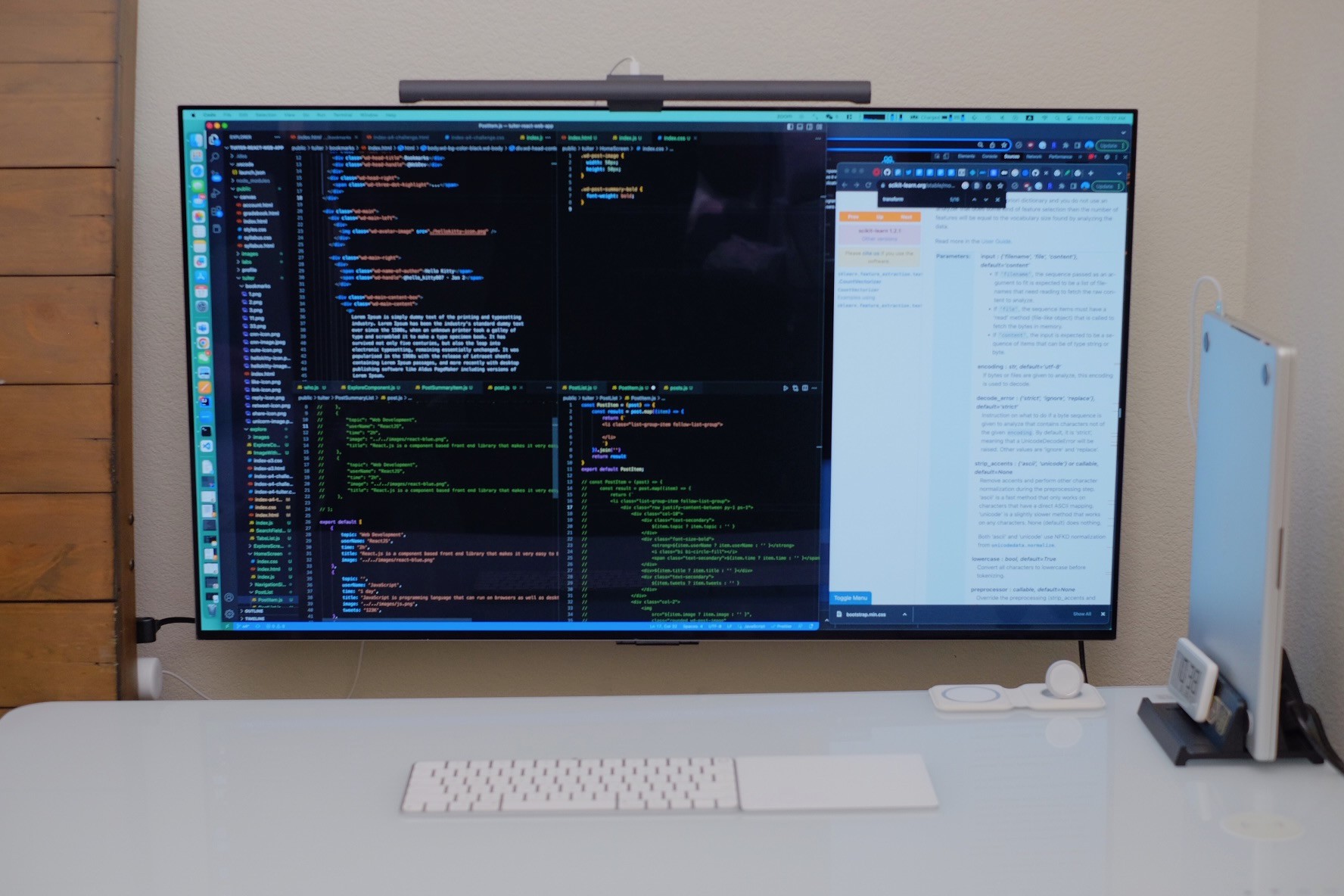
gfw 似乎临时关闭了对 github, steam 的 sni 阻断,目前测试非常丝滑
按照 Reddit 的教程,通过 hammerspoon 开启了系统内自动休眠和开启,不用再折腾 TV 遥控器。
买了 USB-C 转 HDMI 2.1 转接头,按照最新教程顺利开启 4K@100hz 刷新。
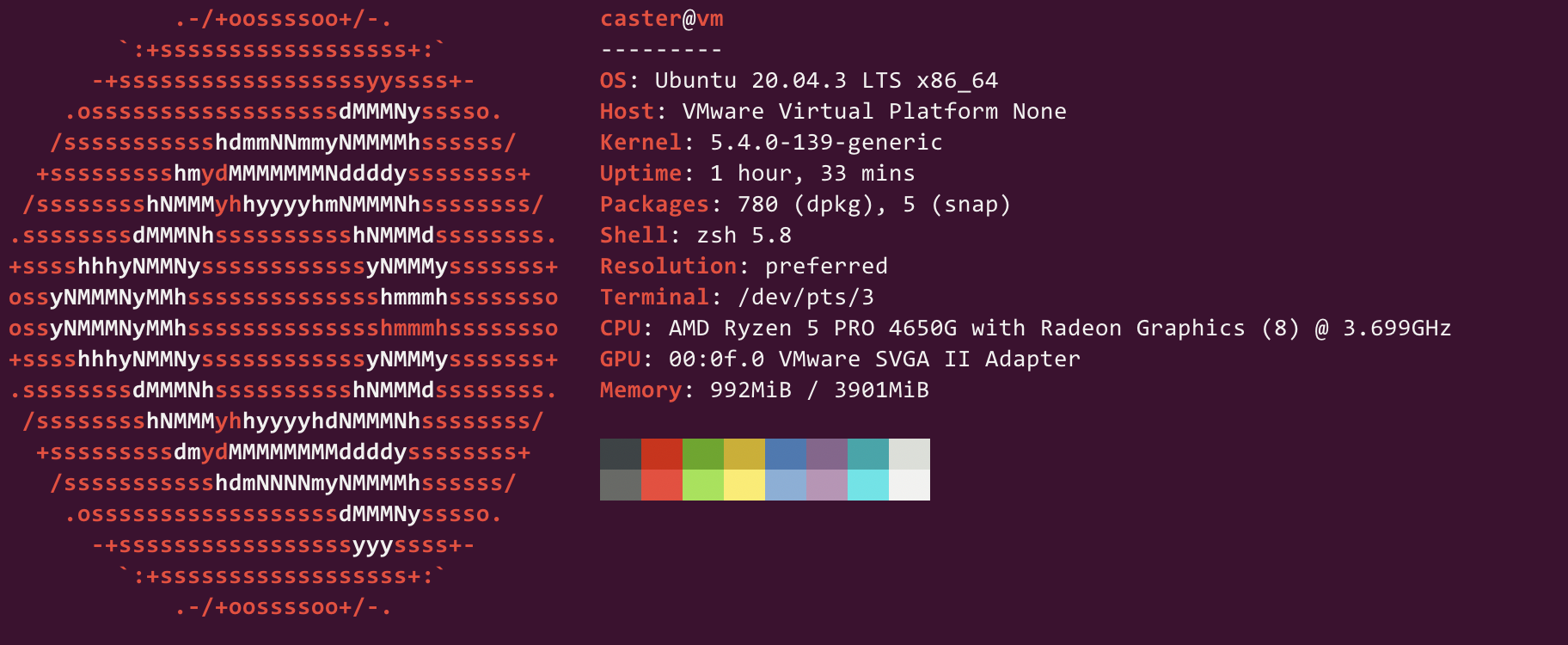
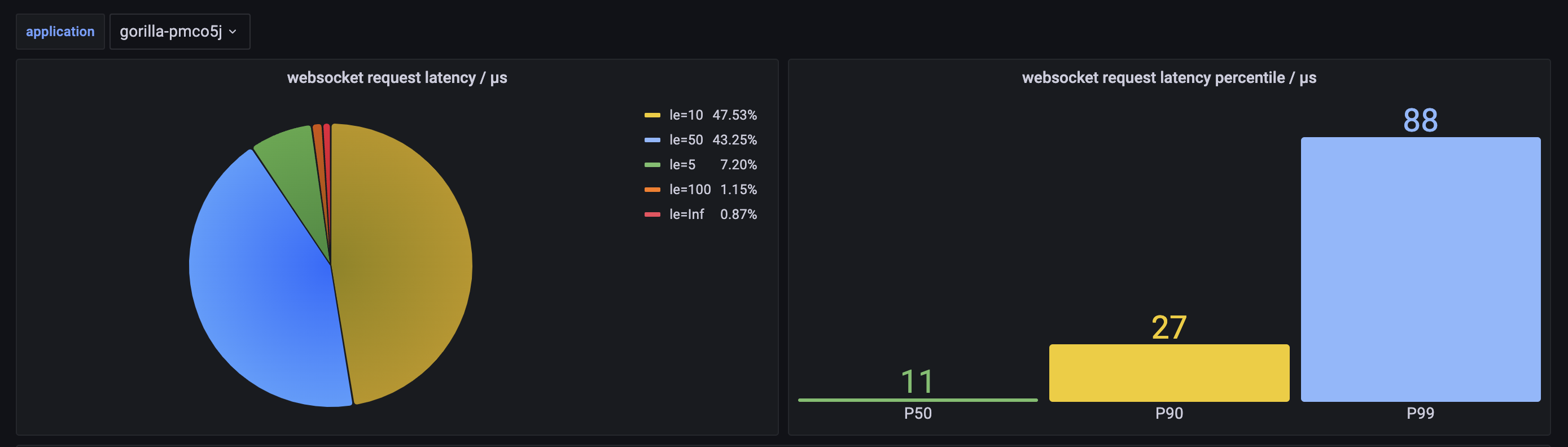
本来想测试四款websocket package的, 但是gobwas/ws数据太异常还是不放了. 今天测试的三个库分别是
测试代码地址: github
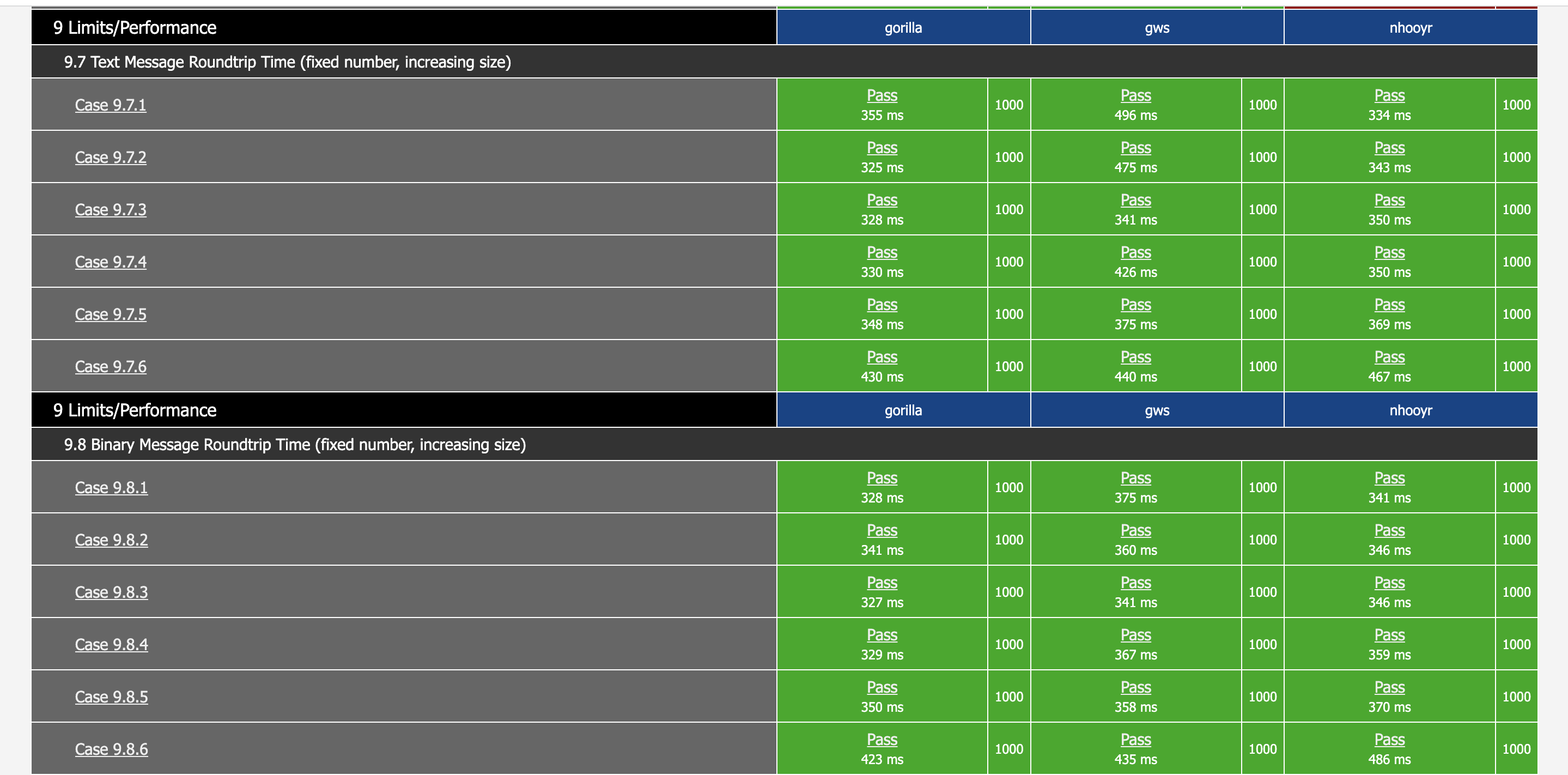
正确性高于性能, 首先测试一下WebSocket协议. 每个包基本都是用的默认配置,为了节省时间,本项测试关闭了压缩.
可以看到,尽管 gorilla/websocket 和 nhooyr/websocket 宣称通过了所有 autobahn-testsuite 测试,但可能还需要开发者额外写一些代码.
docker run -it --rm \
  -v ${PWD}/config:/config \
  -v ${PWD}/reports:/reports \
  crossbario/autobahn-testsuite \
  wstest -m fuzzingclient -s /config/fuzzingclient.json
| package | Pass | Info | Non-Strict | Unclean | Failed |
|---|---|---|---|---|---|
| lxzan/gws | 294 | 3 | 4 | 0 | 0 |
| gorilla/websocket | 223 | 3 | 0 | 85 | 75 |
| nhooyr/websocket | 173 | 3 | 0 | 0 | 125 |
// 1000 connections, 500 messages/second, 1000 Byte Payload
tcpkali -c 1000 --connect-rate 500 -r 500 -T 30s -f assets/1K.txt --ws 127.0.0.1:${port}/connect
Destination: [127.0.0.1]:8000
Interface lo address [127.0.0.1]:0
Using interface lo to connect to [127.0.0.1]:8000
Ramped up to 1000 connections.
Total data sent:     12919.8 MiB (13547411965 bytes)
Total data received: 12854.5 MiB (13478908970 bytes)
Bandwidth per channel: 7.178⇅ Mbps (897.2 kBps)
Aggregate bandwidth: 3594.175↓, 3612.441↑ Mbps
Packet rate estimate: 316194.9↓, 581166.7↑ (3↓, 2↑ TCP MSS/op)
Test duration: 30.0017 s.
Destination: [127.0.0.1]:8001
Interface lo address [127.0.0.1]:0
Using interface lo to connect to [127.0.0.1]:8001
Ramped up to 1000 connections.
Total data sent:     7077.0 MiB (7420776528 bytes)
Total data received: 7089.8 MiB (7434174595 bytes)
Bandwidth per channel: 3.961⇅ Mbps (495.1 kBps)
Aggregate bandwidth: 1982.319↓, 1978.746↑ Mbps
Packet rate estimate: 272613.9↓, 173441.2↑ (2↓, 12↑ TCP MSS/op)
Test duration: 30.0019 s.
Destination: [127.0.0.1]:8002
Interface lo address [127.0.0.1]:0
Using interface lo to connect to [127.0.0.1]:8002
Ramped up to 1000 connections.
Total data sent:     5103.5 MiB (5351431830 bytes)
Total data received: 5140.6 MiB (5390317539 bytes)
Bandwidth per channel: 2.856⇅ Mbps (357.0 kBps)
Aggregate bandwidth: 1437.359↓, 1426.990↑ Mbps
Packet rate estimate: 135048.1↓, 124004.1↑ (1↓, 14↑ TCP MSS/op)
Test duration: 30.0012 s.
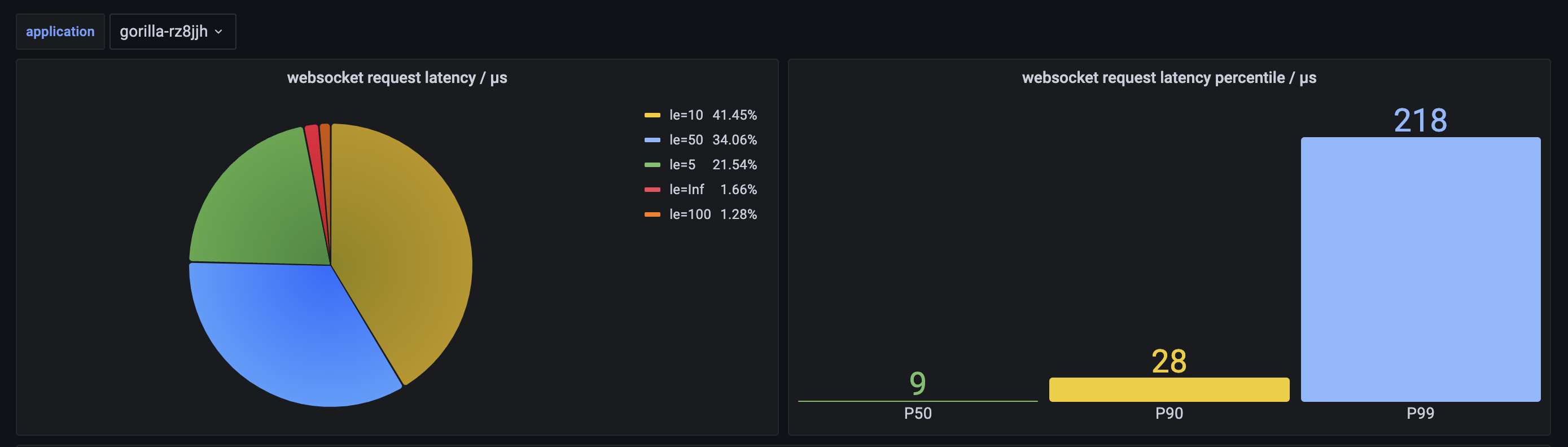
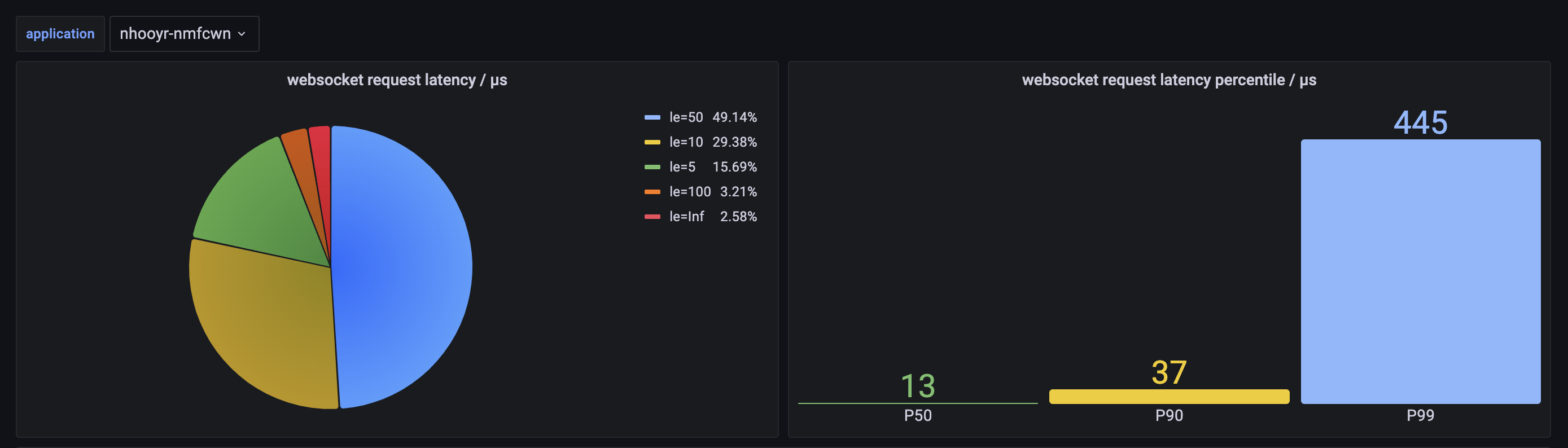
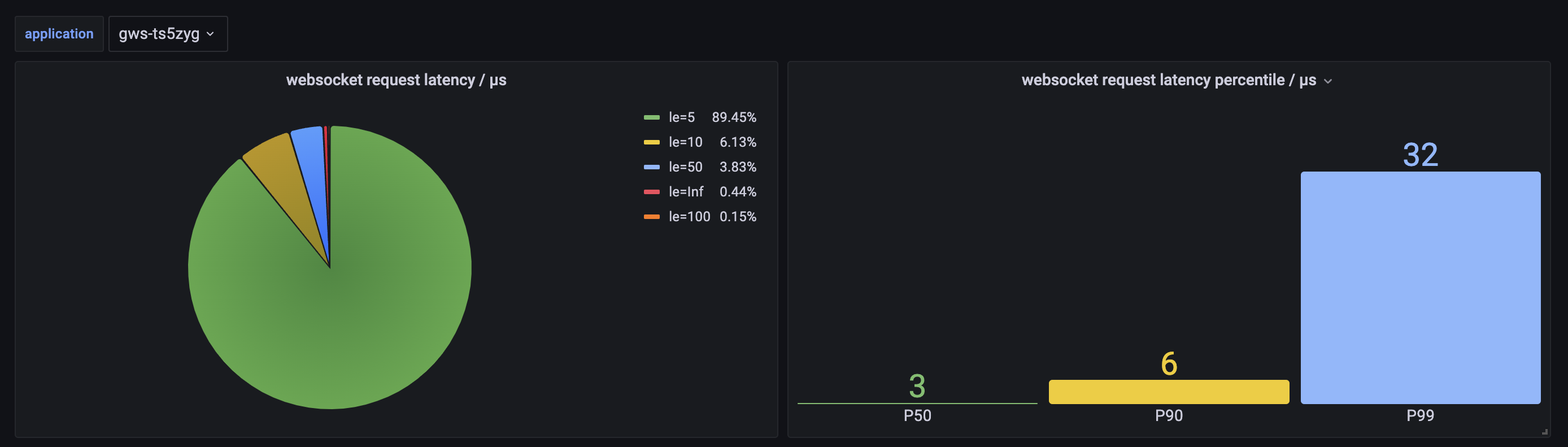
  PID   USER      PR  NI    VIRT    RES    SHR S  %CPU  %MEM     TIME+ COMMAND
  18305 caster    20   0  720780  38116   7332 S 248.8   1.0  24:29.55 gorilla-linux-amd64
  18325 caster    20   0  720952  52544   7180 S 161.1   1.3  15:57.80 gws-linux-amd64
  18346 caster    20   0  721460  50064   7364 R 311.3   1.3  20:49.94 nhooyr-linux-amd64
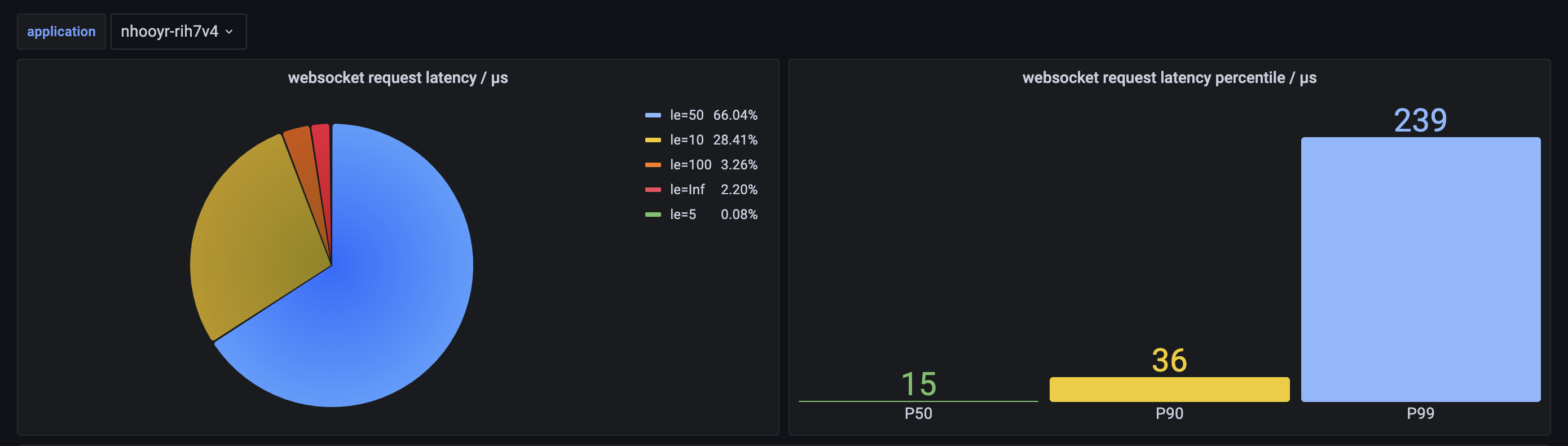
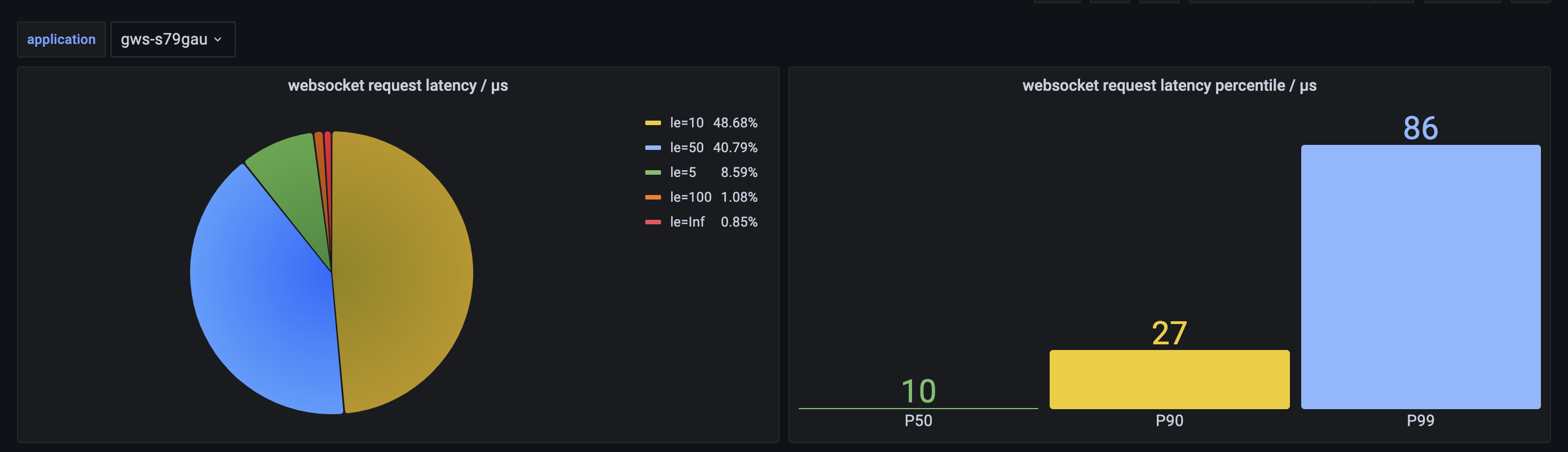
  PID   USER      PR  NI    VIRT    RES    SHR S  %CPU  %MEM     TIME+ COMMAND
  19430 caster    20   0 1070196 395408   6924 S 294.0   9.9   3:44.56 gws-linux-amd64
  19618 caster    20   0  930480 267108   7268 S 313.0   6.7   9:01.10 gorilla-linux-amd64
  20939 caster    20   0 1067980 372916   7236 R 455.8   9.3  12:12.72 nhooyr-linux-amd64
可以看到, 除了内存, 每一项都是
gws > gorilla >> nhooyr
现在手上用的是 2019 年联想小新 pro ( i5 10200U 16GiB),替换网卡后,刷的 macOS 用起来还不错,一直陪了我三年多,不过经常能感觉到卡顿,不知道是积灰还是硬件跟不上了。最近在看轻薄本
利益无瓜,纯粹帮我的小姐妹拉个人头任务 必须在上海 CM 区线下分公司办理(对的就是那个岛上),不方便的也不要问了,其他地方肯定不能办理哈,必须系统里做。 要求是新用户或者是携号转网到联通才能做(问了我姐妹,联通老用户不能转套餐,必须自己新开一个号) 套餐内容每月 100G 流量+1100 分钟+300M 宽带(市区可以装,但是要你自己打 10010 )+iptv 姐妹说这个套餐可能就这一个月能办,之后会不会下架她也不确定 ps:问过了是 4G 的流量,不能用 5G 哦 绿色:RmluY2hfTWF5 (切勿看准套餐内容和要求再联系,必须备注 V2 ,不然不通过哈)
那天,New Bing 开始排队后,我几乎第一时间就预约了,想不到等到今天才排上;前几天就已经借过别人的 New Bing 来使用了,确实很惊艳,不过也会出现参考文献乱编的情况,感觉还是要再修炼一下提问的艺术。
之前的预约帖子: https://v2ex.com/t/914134#reply81
看到一部美剧《西部世界》看起来还可以,想知道都能在哪看美剧
兄弟们,事情是这样的,刚在某社交平台上通过 WhatsApp 加了一外国人,刚开始聊天还正常,聊着聊着就开始说什么他那边无法注册 qq, 希望我帮忙代注册一个。说他朋友都在用,但因为无法注册所以都是请中国人代注册的。我第一反应是国外也能用 qq 吗,第二反应是这丫十有八九是个骗子,所以想都没想直接封禁了。然后我想起来以前我用 hellotalk 之类的 app 时也碰到过,不过当事没在意。但我现在有几点疑问:
今天早上起床 github 发了一个邮件
Hello from the GitHub Education Team!
Occasionally it is necessary for us to ask you to reverify your current academic status to continue receiving your GitHub Education benefits. Now is one of those times.
There will be no interruption to your GitHub access, provided you are successfully reverified within the next 30 days. However, if you are a member of the GitHub Student Developer Pack you must be reverified before your access to the partner offers is restored.
We apologize in advance for any inconvenience this may cause.
To reverify, simply return to https://education.github.com/benefits and click "submit your information again."
When you reapply you will be prompted to upload official, dated proof of your current academic affiliation -- such as a valid student or faculty ID, or current course registration.
While we do our best to review applications quickly, it may take up to two weeks in peak periods such as the start of a new semester -- so please do this soon.
Once individually reverified, faculty members should return to their GitHub Education Benefits page to confirm their teaching or research organizations are also upgraded.
Thank you for understanding.
搞得无语死了